
If you are searching for an iLovePDF alternative, you are almost certainly after one of three things: a tool that is genuinely free, one that does not force you to sign up, or — most importantly — one that does not upload your private documents to someone else’s server. iLovePDF is a great product, but it is not the only option, and for privacy-conscious users it may not be the best one. In this guide we compare DebugSpot vs iLovePDF and explain why a browser-based, client-side editor is the best free and private way to work with PDFs in 2026.
Why look for an iLovePDF alternative in the first place?
iLovePDF has earned its popularity — it is polished, reliable, and handles almost every PDF task you can think of. But there are a few recurring reasons people go looking for an iLovePDF alternative:
- Your files get uploaded. Most online PDF tools, iLovePDF included, send your document to a remote server to process it. For contracts, ID documents, tax forms, and anything confidential, that is a real concern.
- Free-plan limits. Free usage is capped — a limited number of tasks per day, file-size ceilings, and some features locked behind a Premium subscription.
- Signups and accounts. Advanced actions often nudge you toward creating an account or logging in.
- You just want one quick edit. Sometimes you need to sign a single page or merge two files and be done — without a workflow.
If any of those sound familiar, the good news is that a strong free iLovePDF alternative exists — and it fixes the privacy problem at the root.
DebugSpot vs iLovePDF: quick comparison
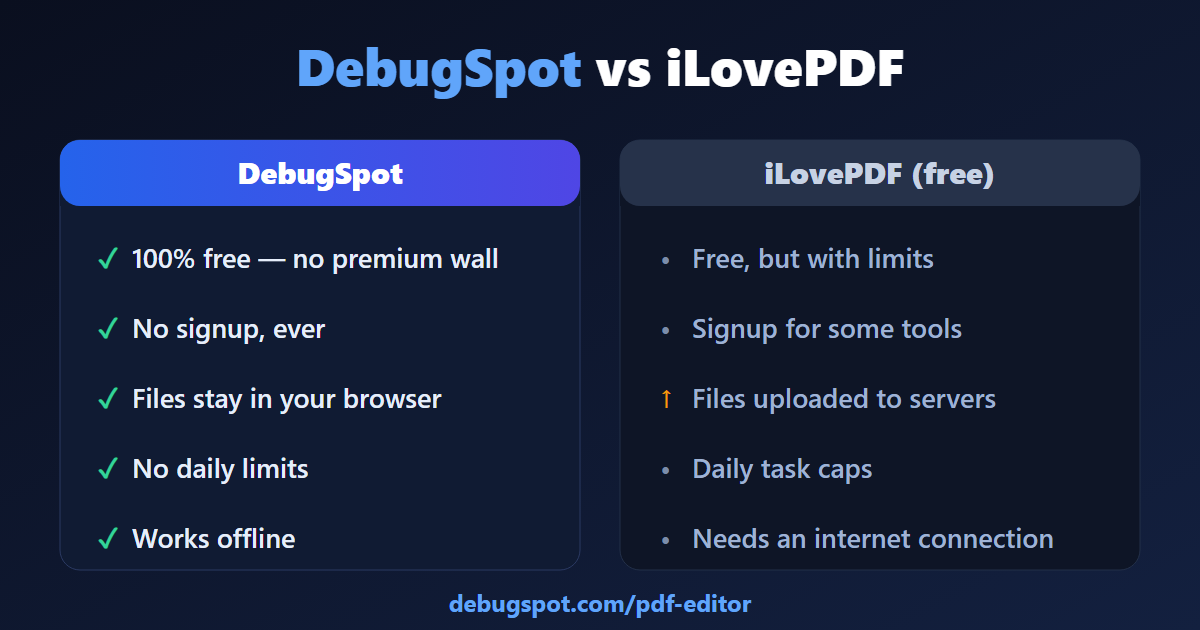
Here is the short version before we dig into detail. DebugSpot is a free, privacy-first toolkit whose PDF tools run entirely in your browser, which is the single biggest difference in this comparison.
| Feature | DebugSpot | iLovePDF (free plan) |
|---|---|---|
| Price | 100% free, no premium wall | Free with limits; Premium for more |
| Signup / account | Never required | Prompted for some features |
| Where files are processed | In your browser (never uploaded) | Uploaded to their servers |
| Daily task limits | None | Yes, on the free plan |
| Watermarks on output | None | None on core tools |
| Works offline | Yes, after the page loads | No |
| Install needed | No | No (web) / app optional |
Privacy is the biggest difference
This is the heart of why DebugSpot is such a compelling iLovePDF alternative. When you use a typical online PDF service, your file is uploaded over the internet, processed on a remote machine, and then handed back to you. The company may delete it after an hour — but you are still trusting a third party with the contents of your document.
DebugSpot works differently. Its PDF tools are built on open-source libraries (pdf.js and pdf-lib) that run inside your own browser tab. Your file is opened locally, edited locally, and saved locally. Nothing is ever sent to a server. That means when you sign an offer letter, redact a bank statement, or fill in a tax form, the document never leaves your device. For anyone handling sensitive information, that is not a small nicety — it is the whole point.
Features compared: can a free tool really replace iLovePDF?
A privacy promise is worthless if the tool cannot do the job. Fortunately, this iLovePDF alternative covers the tasks people actually use most:
Editing and signing
With the DebugSpot PDF Editor you can add text, draw and sign with a freehand pen, highlight, insert images and logos, and fill in forms directly on the page. You can also rotate, delete, and reorder pages by drag-and-drop, and add page numbers or a watermark. For everyday editing and e-signing, it matches what most people reach iLovePDF for.
Merging, splitting and compressing
Need to combine documents? The Merge PDF tool stitches files together in seconds. Need to shrink a file for an upload limit? The PDF Compressor reduces size without a watermark. And splitting a large PDF into pages is just as quick — all without a single upload.
Converting
DebugSpot also converts between formats — JPG to PDF, PDF to JPG, and Word to PDF — which are among the most common conversions iLovePDF users perform. Again, the file is processed in your browser rather than on a server.
Is DebugSpot really free?
Yes — and it is worth being specific, because “free” means different things across PDF tools. DebugSpot has no premium tier, no daily task cap, no file-size paywall, no signup, and no watermark on your output. The reason it can do this is precisely because it does not run expensive server-side processing: the work happens on your computer, not theirs. So the honest answer to “what is the catch?” is that there is not one on the PDF tools — they are free because they are client-side.
When does iLovePDF still make sense?
To keep this fair: iLovePDF is genuinely excellent, and there are cases where it (or its desktop app) is the better pick. If you need OCR on scanned documents, batch-processing hundreds of files through an automated workflow, team accounts, or an integrated mobile app with cloud sync across devices, iLovePDF’s paid product is built for that. The point of this comparison is not that iLovePDF is bad — it is that for the most common tasks (edit, sign, merge, compress, convert) a free, private, browser-based iLovePDF alternative like DebugSpot is often the smarter default.
Other free iLovePDF alternatives worth knowing
DebugSpot is our top recommendation, but a good comparison names the field. Other options include iLovePDF itself on its free tier, Smallpdf (polished but also server-side and limited on free), Sejda (generous but with daily caps), and Stirling PDF (open-source and self-hostable, but you have to run it yourself). Among free, no-setup, privacy-first choices, a browser-based toolkit remains the easiest to recommend. For a full walkthrough, see our guide on how to edit a PDF without Adobe Acrobat.
How to edit a PDF with this iLovePDF alternative (step by step)
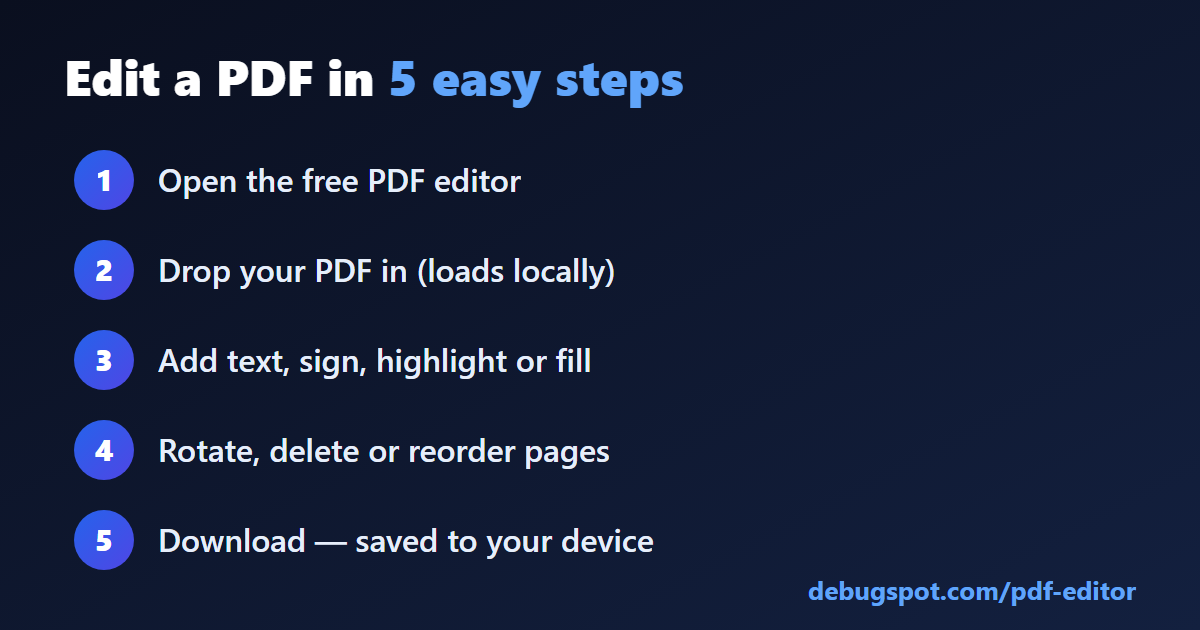
- Open the DebugSpot PDF Editor in any browser.
- Drag your PDF onto the page (it loads locally — nothing uploads).
- Use the toolbar to add text, sign, highlight, insert an image, or fill the form.
- Rotate, delete, or reorder pages if you need to.
- Click download — your edited PDF saves straight to your device.
The whole flow takes under a minute, with no account and no waiting on an upload.
Frequently asked questions
What is the best free iLovePDF alternative?
For most people, DebugSpot is the best free iLovePDF alternative because it is completely free, needs no signup, and processes files in your browser so nothing is uploaded.
Is DebugSpot safe for confidential documents?
Yes. Because the PDF tools run client-side, your document never leaves your device, which makes it well suited to contracts, IDs, and financial paperwork.
Do I need to install anything?
No. DebugSpot is entirely web-based and works on Windows, Mac, Linux, Android, iOS, and Chromebooks across all major browsers.
Is there a file-size or daily limit?
No. There are no daily task caps or premium paywalls on the PDF tools.
The verdict
If your priorities are cost, convenience, and — above all — privacy, DebugSpot is the iLovePDF alternative to try first. It handles the PDF tasks you do most, it is genuinely free with no signup, and its client-side design means your files never leave your device. Open the free PDF editor and edit your next document in seconds — nothing to install, nothing uploaded.